

This week’s offer: a free one-page AI use policy for your business. Plain English, ready to hand to your team, covering which AI tools are approved, what never gets pasted in, and who to ask. Reply "policy" to this email and we will send it over, plus a 15-minute Teams call to fit it to your business if you want one.
Here is the uncomfortable part: if you have not told your team which AI tools they can use, they have already picked their own.
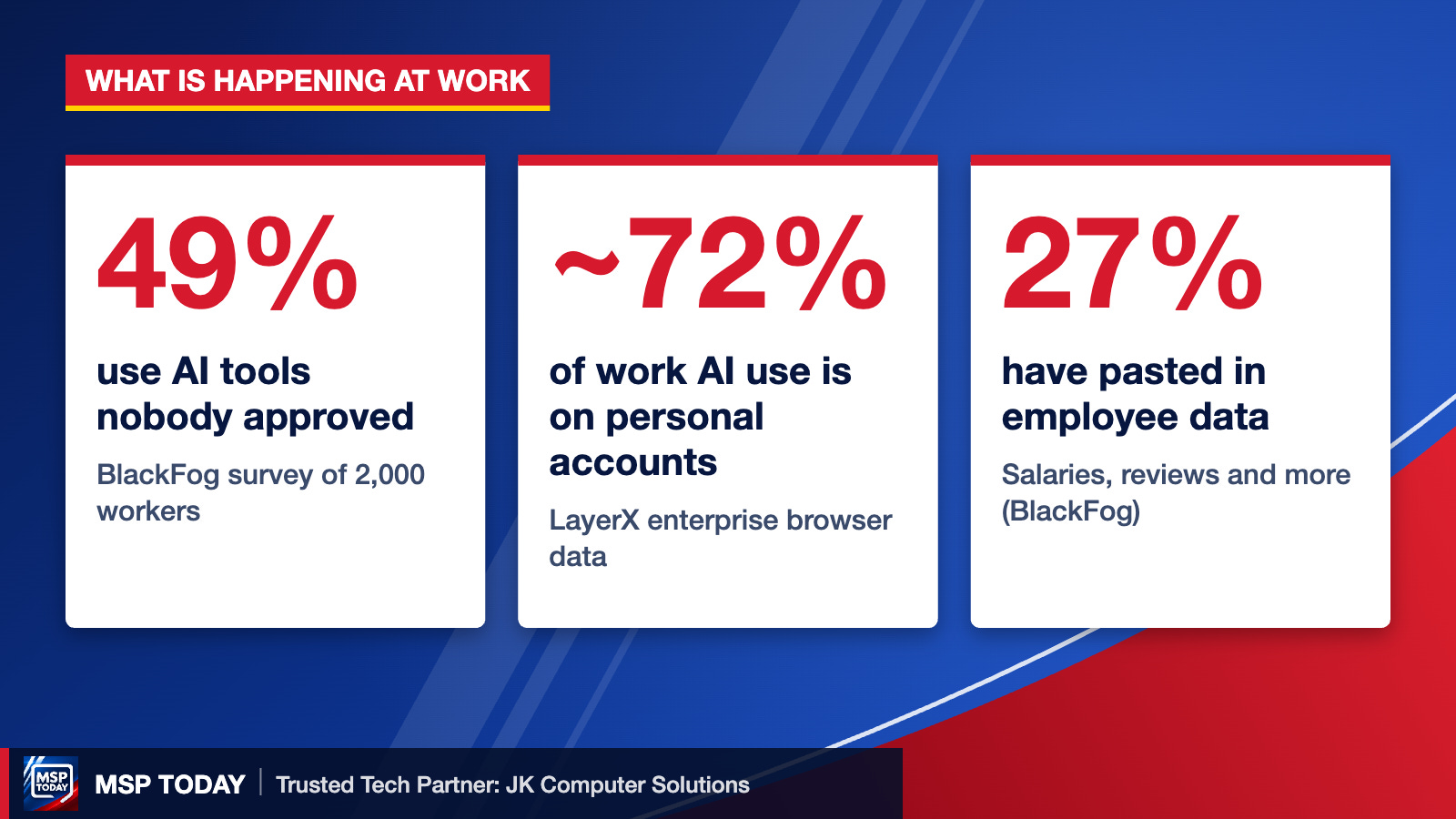
A BlackFog survey of 2,000 workers found 49% use AI tools their employer never approved, and 51% have connected AI tools to work systems without IT knowing. More than half of them are on free versions. Asked what they had pasted in, 33% said company research or datasets, 27% said employee data like salaries or performance reviews, and 23% said company financials.
Browser monitoring from LayerX found the same pattern from a different angle: about 72% of AI use at work happens through personal accounts, not company ones, and nearly 40% of files uploaded to AI tools contained personal or payment data.
Why this matters for a small business
Free and personal AI accounts are not covered by your company’s agreements. Depending on the tool and its settings, what goes in may be stored, reviewed, or used to train the product. For a law office, CPA, medical practice, or anyone holding client data, that can turn a shortcut into a reportable incident.
This is not an argument against AI. Your team is using it because it saves real time. The fix is to give them a safe lane: approved tools, business accounts, and a short list of things that never go in.
What a one-page AI policy should cover
Approved tools. Name them. If you pay for Microsoft 365, Copilot with your work login is usually the safest starting point.
Business accounts only. No personal ChatGPT or Gemini logins for company work.
The never-paste list. Client names and files, passwords, financials, employee records, anything covered by HIPAA or a confidentiality agreement.
A human checks the output. AI drafts, people sign off, especially on anything sent to a client.
Who to ask. One person who answers "can I use this?" questions.
Do this Monday
Ask three people on your team which AI tools they used last week. The answers will tell you where you stand.
Pick one approved tool and make sure everyone signs in with a work account.
Write down your never-paste list, even if it is five bullet points in an email.
Turn on the AI and data controls already included in your Microsoft 365 or Google Workspace plan.
Reply "policy" and we will send you our one-page template.

This week’s offer: a free one-page AI use policy for your business. Plain English, ready to hand to your team, covering which AI tools are approved, what never gets pasted in, and who to ask. Reply "policy" to this email and we will send it over, plus a 15-minute Teams call to fit it to your business if you want one.
JK Computer Solutions is MSP Today’s Trusted Tech Partner. Prefer to talk it through? Book a 15-minute Teams call.
Sources: CIO, BlackFog survey of 2,000 workers; TechRepublic, LayerX Enterprise AI and SaaS Data Security Report.