


This week’s offer: a free 2027 IT budget review. 15 minutes on Teams. We go through your PCs, licenses, security tools, and insurance requirements and tell you what to plan for next year, so nothing shows up as a surprise in March. Reply "budget" to this email to book it.
If your business still has Windows 10 PCs, October 13 was a quiet deadline worth knowing about.
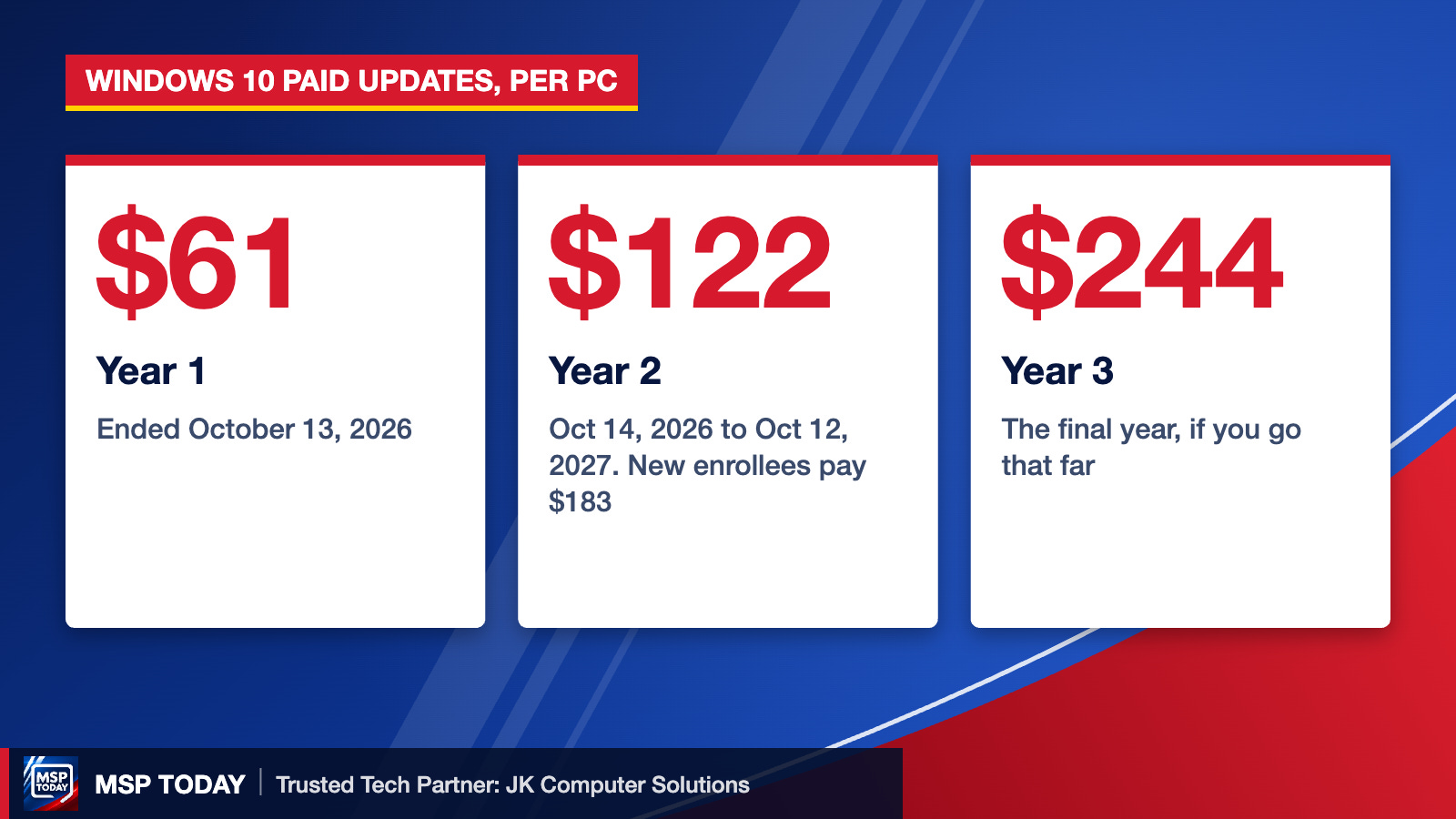
That was the last day of year one of Microsoft’s Extended Security Updates for Windows 10. Year two runs from October 14, 2026 to October 12, 2027, and the business price doubled from $61 to $122 per PC. A PC enrolling for the first time now has to pay for year one too, so $183 just to start getting patches. Year three, if you go that far, is $244.
Skip it, and the PC keeps working but stops getting Windows security fixes. Microsoft patched 931 Windows 10 flaws during year one of the program, 10 of them already being exploited when they were disclosed.
The math on 10 PCs
Keep them on ESU: 10 x $122 = $1,220 for one more year of patches, on hardware that is likely 6 or more years old, with the price doubling again next fall.
Late enrollment: 10 x $183 = $1,830 if those PCs were never enrolled.
Replace them: a real cost, but you get a supported machine for the next 5 years instead of renting time on an old one.
For one or two PCs that run a single piece of equipment or software, ESU can make sense. For a whole office, it usually just delays a bigger bill.
What else belongs in your 2027 IT budget
PC replacements for anything still on Windows 10 or older than 5 years.
Cyber insurance requirements. Carriers keep asking for multi-factor authentication, managed security on every device, and tested backups. Budget for what your renewal will ask for, not what it asked for last year.
Microsoft 365 and software licenses. Price changes and add-ons like AI tools add up fast.
Backups you have actually tested. A backup nobody has restored is a guess.
Do this Monday
Count how many PCs in your office still run Windows 10. On each one, Settings, System, About will tell you.
Note how old each of those PCs is.
Decide which ones get replaced and which, if any, need ESU year two.
Pull last year’s cyber insurance application and list what it asked you to have in place.
Reply "budget" and we will walk through it with you on Teams.

This week’s offer: a free 2027 IT budget review. 15 minutes on Teams. We go through your PCs, licenses, security tools, and insurance requirements and tell you what to plan for next year, so nothing shows up as a surprise in March. Reply "budget" to this email to book it.
JK Computer Solutions is MSP Today’s Trusted Tech Partner. Prefer to talk it through? Book a 15-minute Teams call.
Sources: PCWorld on Windows 10 ESU pricing; PC Server and Parts, Windows 10 ESU Year 2.