

What Happened
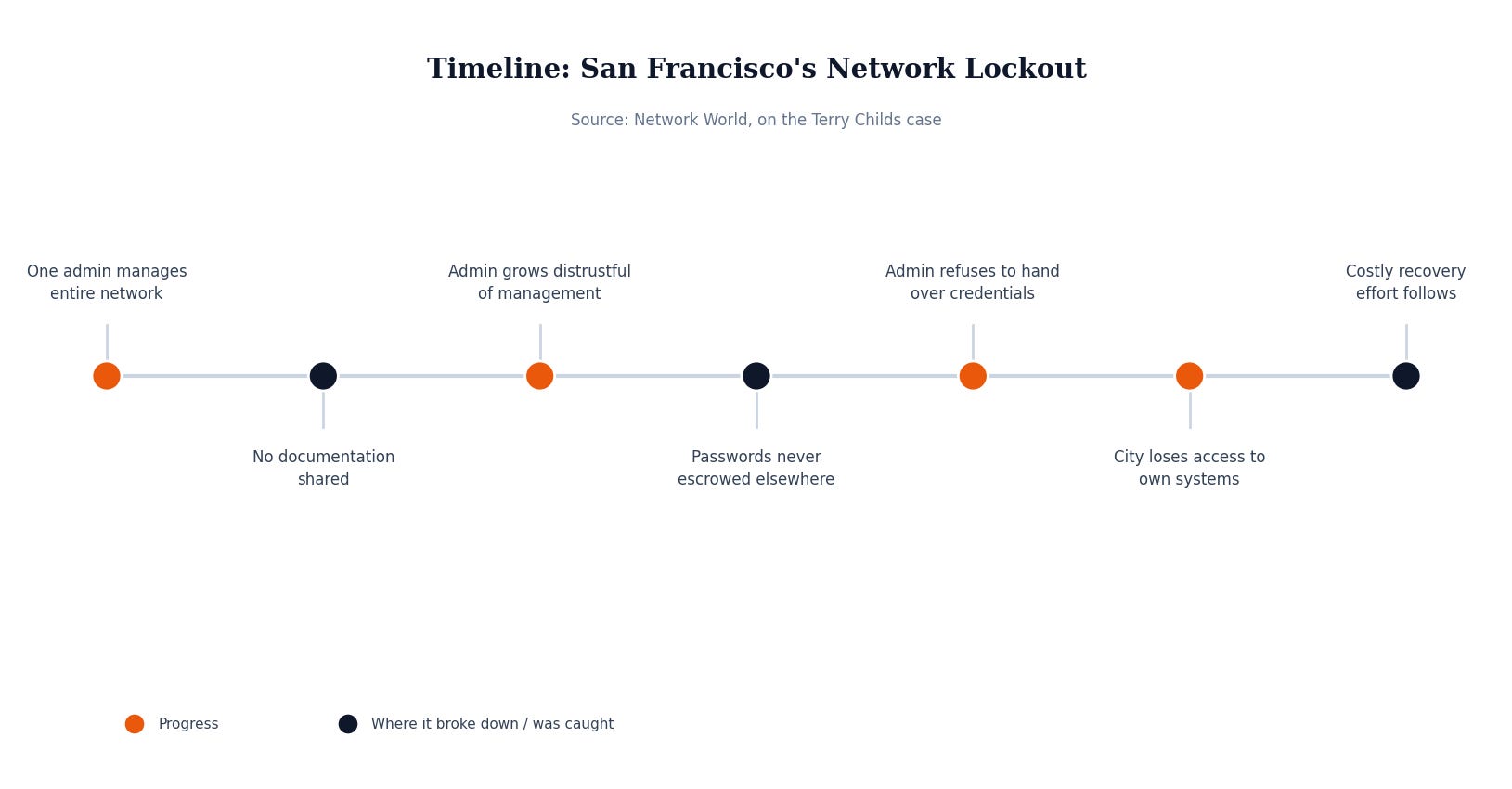
In July 2008, Terry Childs was the network administrator responsible for FiberWAN, the network connecting hundreds of San Francisco city and county departments and buildings, including police records and payroll systems, back to a central data center. When a dispute with his supervisors came to a head, Childs refused to hand over the network’s administrative passwords, even when his managers asked him directly on an open conference line.
This wasn’t a hypothetical “what if the IT person won’t cooperate” scenario — it played out inside a city government with real consequences. According to Network World’s coverage of Childs’s criminal trial, he had configured the network’s routers to store their settings in memory rather than on their hard drives, meaning the devices would lose their configuration entirely if they ever lost power, making any workaround around him dramatically harder. A juror on the case, himself a network engineer, summed it up: “The city was denied access to the network. He knew the steps he was taking were creating a perfect storm.”
For roughly 12 days, city officials had no administrative access to the network carrying their own government’s data. Then-Mayor Gavin Newsom later testified that the city had been “in peril,” with officials cut off from police records and payroll data because the one person who held the keys wouldn’t hand them over. Recovering control cost the city roughly $900,000. Childs was ultimately convicted of a felony count of denying computer services, sentenced to four years in prison, and later ordered to pay nearly $1.5 million in restitution.
The most uncomfortable detail to come out of the trial wasn’t really about Childs at all. A juror who worked in networking told reporters that city IT management had “done everything wrong” in letting one employee become the sole holder of that much access, with no shared documentation and no one else who could step in. It didn’t take a hacker breaking in from the outside. It only took one employee and one bad afternoon.
Why This Matters If You’re Not a Big Company
San Francisco had an entire IT department, and the crisis still came down to one person holding knowledge nobody else had. Most small and mid-size businesses don’t have that department — they have one IT employee, or a two-person team, or an owner who’s been quietly acting as the de facto sysadmin for years. The gap this case exposes isn’t really about malice; it’s about what happens when critical access, passwords, and system knowledge exist in exactly one place. Whether that person is uncooperative, unreachable, out sick, or simply gives two weeks’ notice, the effect on the business is the same: nobody else can get in.
For an SMB, that single point of failure usually isn’t a dramatic standoff — it’s a router nobody remembers the login for, a domain registrar account tied to a personal email address that left with the employee, or a backup system only one person ever configured. It doesn’t need a courtroom to become a serious problem. It just needs that person to be gone when something breaks.
What Actually Would Have Stopped This
The fix here isn’t more trust in the IT person — it’s less dependence on any single one. Administrative credentials for core systems (network devices, domain registrars, cloud consoles, backup platforms) belong in a shared password manager with role-based access, not in one employee’s head or personal notes. At least one other person, whether that’s an owner, a second staff member, or an outside partner, should be able to get into every critical system without needing that specific individual available.
Documentation is the other half of it. A basic, current, written record of what systems exist, where they live, and how they’re accessed turns a single point of failure into something any competent person can pick up. It doesn’t need to be elaborate. It needs to exist somewhere more than one person can reach.
Security Checklist for Your Business
Store admin credentials centrally. Put passwords for network gear, domain registrars, and cloud accounts in a shared business password manager, not one person’s memory or personal files.
Give at least two people access. Every critical system should have a second authorized person, internal or outside, who can get in if the primary person is unavailable.
Keep basic infrastructure documentation current. A simple written record of what exists and how to reach it is worth more during a crisis than anyone’s tribal knowledge.
Review access when roles change. Update shared credentials and permissions whenever an IT employee’s role shifts, not just when they formally leave.
A city with a full IT department still lost control of its own network because access lived in one person’s head. For a business with one IT employee, that same gap is even easier to fall into — and even more disruptive to close after the fact. MSP Today’s trusted tech partner is JK Computer Solutions. If you want a second set of eyes on your setup, get in touch.
Source: Network World, “Admin who kept SF network passwords found guilty”.