
How a Personal Computer Became the Way In
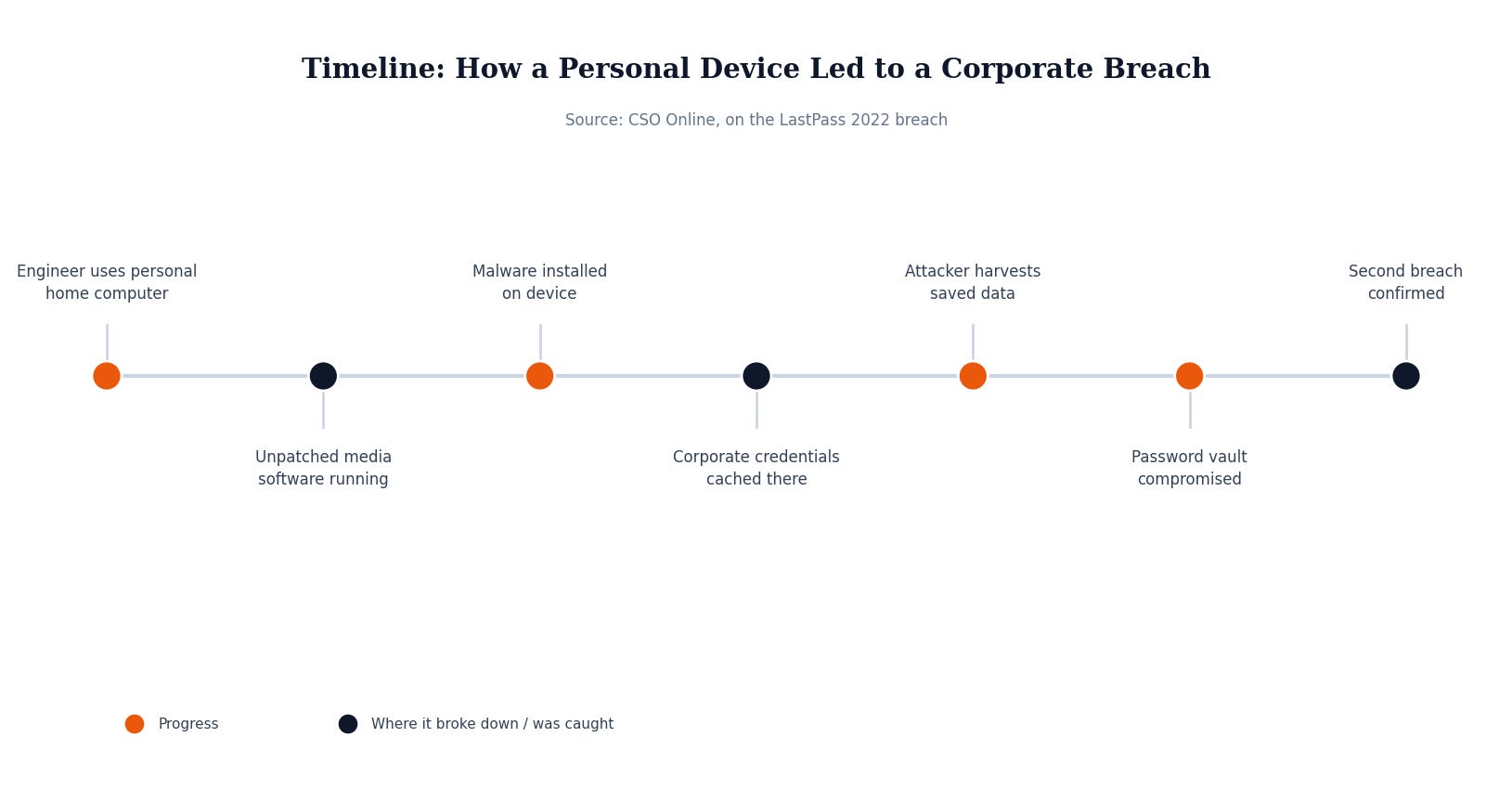
In 2022, LastPass, the password manager used by more than 30 million people and 85,000 businesses, disclosed a second security incident that traced back to something far more mundane than a sophisticated zero-day attack on its infrastructure. The attacker targeted a senior DevOps engineer, one of only four employees at the company with access to the decryption keys protecting its cloud backups. Rather than attacking LastPass’s corporate network directly, the attacker went after that engineer’s home computer.
According to LastPass’s own account of the incident, the attacker exploited a vulnerability in a third-party media software package installed on the engineer’s personal machine to achieve remote code execution and plant a keylogger. That keylogger sat quietly, capturing everything typed on the device, including the moment the engineer authenticated into their LastPass corporate vault with a master password and multi-factor authentication.
With that captured master password and an active authenticated session, the attacker logged into the engineer’s corporate vault and exported its contents, including shared folder entries that held the access and decryption keys to LastPass’s cloud storage environment. Using those stolen keys, the attacker went on to access and decrypt cloud backups containing customer vault data, billing information, and a backup of the company’s MFA and federation database. The intrusion ran from August 12 to October 26, 2022, before LastPass identified and shut it down, publishing a full account of what happened the following March.
Nothing about the attack that eventually reached millions of customer vaults started with a flaw in LastPass’s own network. It started with software the company had no visibility into, running on a device the company did not manage, that happened to hold a live, authenticated line into its most sensitive systems.
Why This Matters If You’re Not a Big Company
It’s tempting to read this as a story about a security vendor and move on, but the actual failure point has nothing to do with being in the security business. It’s a personal device, outside any managed policy, holding an active session into company systems. Every business with employees who check email on their own phone, log into a shared drive from a home laptop, or keep a company app signed in on personal hardware has that same shape of exposure, whether or not anyone has ever written it down as a risk.
Small and mid-size businesses are, if anything, more exposed to this pattern, not less. A large company at least has some chance of catching unusual account activity through logging and monitoring. Most small businesses have no equivalent visibility into what’s happening on an employee’s personal laptop or phone, no way to know what other software is installed on it, and often no written policy establishing what that device is and isn’t allowed to touch. The device itself becomes an invisible extension of the business network that nobody is actually watching.
What Actually Would Have Stopped This
The fix here isn’t complicated, and it doesn’t require banning personal devices outright. It requires drawing a clear line around what a personal device is allowed to access and backing that line with technical controls rather than trust alone. Multi-factor authentication should require a second factor the attacker can’t also capture through a keylogger, such as a hardware security key or an authenticator app tied to a separate device, rather than relying solely on something typed on the same compromised machine. Sensitive access, like the decryption keys a handful of engineers held in this case, should also be walled off so that no single compromised device or account can reach it alone.
Just as important is simply having a policy that says which devices can touch company systems and what has to be true about them first, patched, monitored, and free of unrelated consumer software, before they’re trusted with a live session into anything sensitive. Without that line drawn anywhere, every employee’s personal laptop is a potential front door nobody at the company knows exists.
Security Checklist for Your Business
Write down your device policy. Spell out which personal devices can access company email, files, or systems, and what conditions they have to meet first.
Separate MFA from the device being protected. Use a hardware key or a separate authenticator app rather than a factor that lives on the same machine a keylogger could compromise.
Limit who holds the master keys. Restrict access to your most sensitive systems and credentials to as few people as the job actually requires.
Keep personal and work software apart. Discourage installing unrelated consumer software, like media servers or file-sharing tools, on any device used to reach company systems.
A single unmanaged personal computer, running software nobody at the company ever approved, was enough to unravel one of the most trusted names in password security. MSP Today’s trusted tech partner is JK Computer Solutions. If you want a second set of eyes on your setup, get in touch.
Source: CSO Online, “Hacked home computer of engineer led to second LastPass data breach”.